

Are you looking for the best Chromebooks for homeschooling?
Chromebooks have taken over the market as one of the most popular choices for homeschooled students. With reasonable price points, reliability, and speed it’s easy to see why Chromebooks have become the top choice.


As students continue to learn to use the internet as one of their primary research tools, a Chromebook is the perfect choice for an efficient and reliable device option to support your homeschool student’s education.
Of course, there’s no shortage of Chromebooks out there, and not all of them are created equal.
To help you find the models that are worth your money, we’ve compiled a list of the best Chromebooks to use for homeschool students to help support all their different learning needs.
This article may contain affiliate links. Please see our disclosure policy for more details.
Easy Navigation
Things to Consider When Choosing the Best Chromebook for Homeschool Use
With any technology purchase, there are different factors to consider in order to find the best item to fit your student’s needs. When searching for the best Chromebook for homeschooling, it is helpful to think about how your student will be using the device on a daily basis.
In fact, one helpful hint is to make a list of activities and uses for the future Chromebook. This list can help you narrow down your options to find the best Chromebook for your homeschooled student. Remember that the majority of Chromebooks are designed to be fast for things like browsing the internet and streaming services. As you are searching for the best Chromebook for your homeschool purposes, consider the importance of battery life, screen size and accessibility, and storage.
The Importance of the Chromebook Screen
One of the most significant features to take into account when purchasing a Chromebook is the screen. Kids love having the touchscreen option and for good reason. Not only does it make the computer more user-friendly, it is also beneficial for different apps and tools your student may use while learning.
The size of the screen is also important. While it can be helpful to have a smaller screen for portability, your student may need a larger screen to support visual needs while learning. If your student will be using the Chromebook for coding and design, it is also helpful to have a screen with clear and crisp graphics.
Consider Different Storage Options for Your Chromebook
Most Chromebook users plan to use their Chromebook for browsing the internet and using some of the apps. However, some apps and games require more storage. Chromebooks typically come with two different storage options: either 4GB or 8GB. If your student plans to use the Chromebook for more than just browsing, investing in the 8 GB option is best for long-term use.


The Battery Life of Chromebooks
When shopping around for a Chromebook you will notice the battery life mentioned in the specifications. To help you compare what is average vs. above average, a typical Chromebook battery lasts about 10 hours. The best battery out there lasts about 14 hours but that is pretty unusual. Remind your student when they are charging their Chromebook to allow it to fully charge, but not to leave it on the charger overnight if at all possible to help keep the battery from overheating.
Our Quick Pick for the Best Chromebook for Homeschool Students
- No setup required
- Long battery life
- Access to all the latest Google Play Apps
- Compact, lightweight design
- Very affordable
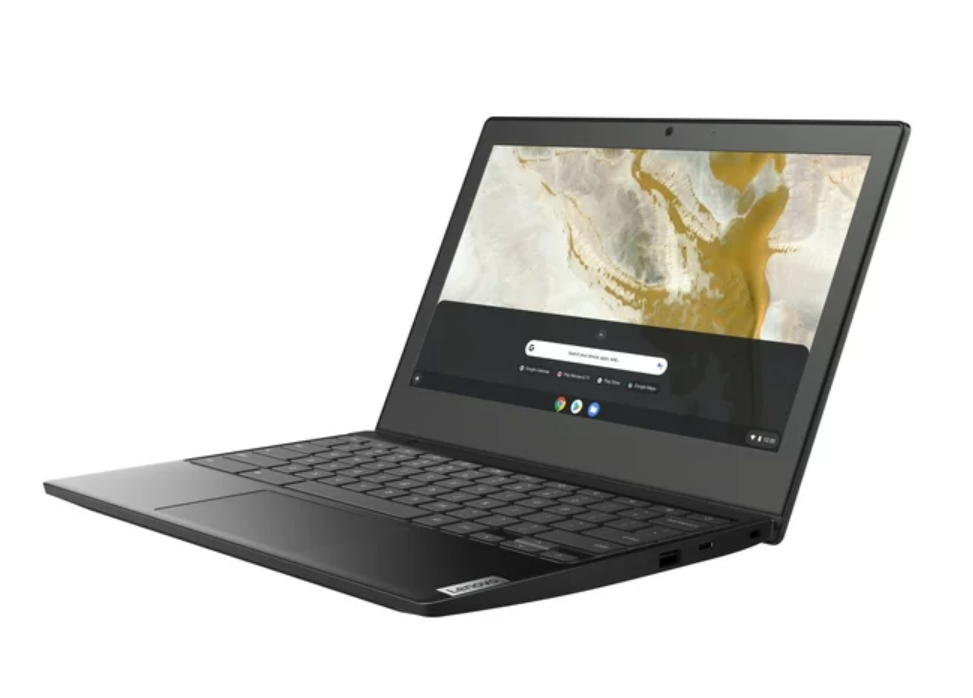
The Lenovo Ideapad 3 11-inch Chromebook is our top choice for Chromebooks for Homeschool students thanks to its long-lasting battery life, efficient startup time, and numerous other features that allow it to be both comfortable and compact for a computer. The Lenovo Ideapad is the perfect size for on-the-go learning and its lightweight design makes it easy to put in a backpack for the days when learning occurs outside the home.

With over 5,000 positive reviews this Chromebook has been tested by a variety of users and continues to stay at the top of the list for the best Chromebook on the market. Users like the smaller size of the Chromebook as well as the easy-to-navigate keyboard and screen.
The 9 Best Chromebooks for Homeschooling
#1: Lenovo Ideapad 3 Chromebook
- No setup required
- Long battery life
- Access to all the latest Google Play Apps
- Compact, lightweight design
- Very affordable
With a sleek and stylish design, the Lenovo Ideapad 3 Chromebook is our number one pick for the best Chromebook for homeschool students. It is small yet efficient, making it a great option for students. This Chromebook comes with built-in virus protection as well as instant access to all that Google has to offer as soon as you start the computer. It is priced around $200 making it a budget-friendly option as well.
#2: ASUS Chromebook Flip 2-In-1 Laptop
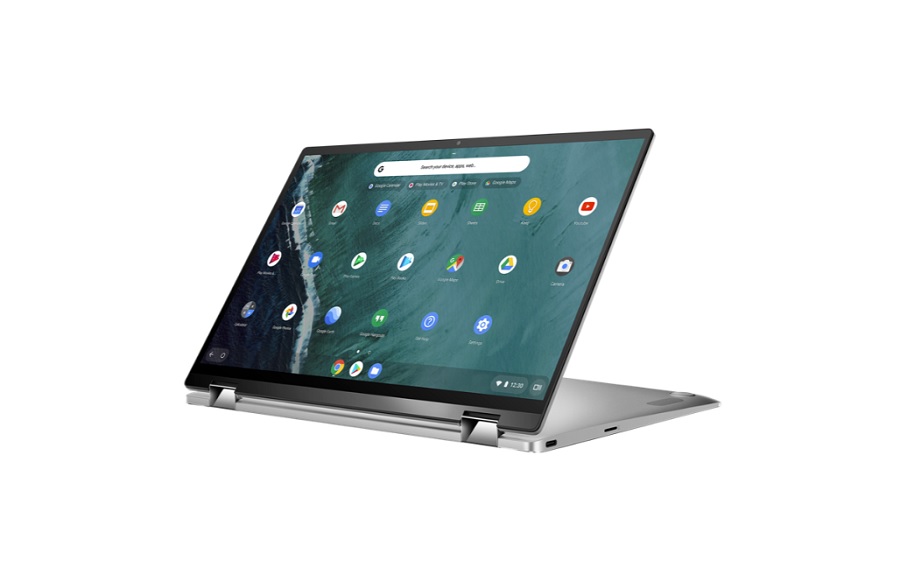
Kids are intrigued with technology with numerous different features and the ASUS Chromebook 2-In-I Laptop comes with just that and more. This Chromebook provides the user with a touchscreen as well as the option to use it as a traditional laptop or to flip the keyboard around and use it as a tablet.
#3: HP Flagship Chromebook
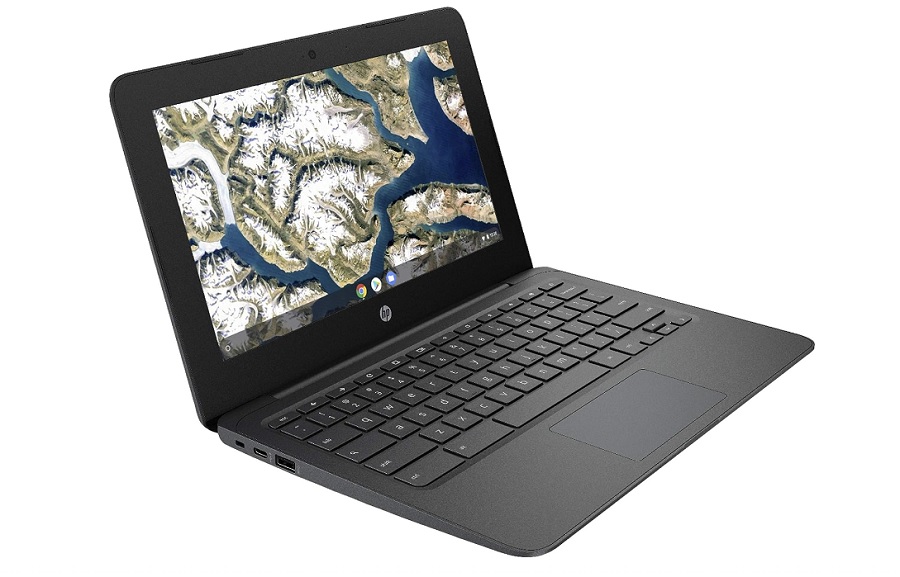
As a company that has been in business for over eighty years, HP is known for its quality computers at an affordable price. The HP Flagship Chromebook is priced below $200 making it one of the most inexpensive Chromebooks available. However, you don’t have to sacrifice quality to stay within your budget.
The HP Flagship comes with 4 GB of RAM and reviews state that it has one of the most comfortable keyboards on the market for all your typing needs. It does have less memory than some of its competitors with only 32 GB for storage. This compact HP Chromebook is ideal for users who simply plan to research and stream shows and videos.


#4: Acer Chromebook 15.6 Inches
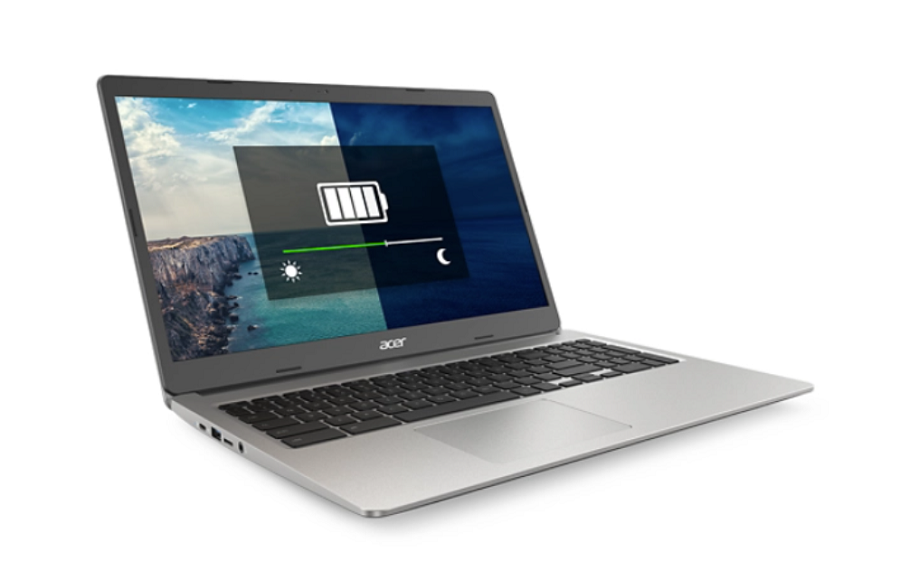
Highly rated, the Acer Chromebook is a popular choice for parents looking for the best Chromebook for their homeschool student. The Acer Chromebook comes with a touch screen and provides 15.6 inches of screen to enjoy all of the images and games your student may view. Even with the larger screen, it still weighs less than 3 pounds making it an ideal option if you are looking for a more portable device.
#5: Samsung Chromebook for Chrome OS

When searching for the best Chromebook, many parents and students are simply looking for the Chromebook that will provide the most efficient way to use Chrome and other Google services. The Samsung Chromebook is at the top of our list as the Chromebook with one of the faster processing speeds and a reliable connection to Chrome.
Parents will also appreciate that this Chromebook is advertised as having military-grade durability. So if it accidentally gets dropped, it’s likely to stay damage-free. The battery life is also on the longer end, with a 12 ½ hour battery life allowing your student to use it for the entire day without needing a charge.
#6: Lenovo 3i Chromebook

The Lenovo 3i is a best-seller thanks to its larger 15-inch screen and durable keyboard. A major perk of the Lenovo 3i is that it comes with a number pad on the keyboard, making it a great option for students.
Priced right around three hundred dollars, it is one of the more reasonable options on the market. This Lenovo Chromebook comes with automatic security updates to keep your computer running safely.
#7: Acer Spin 2023 Flagship Convertible Chromebook
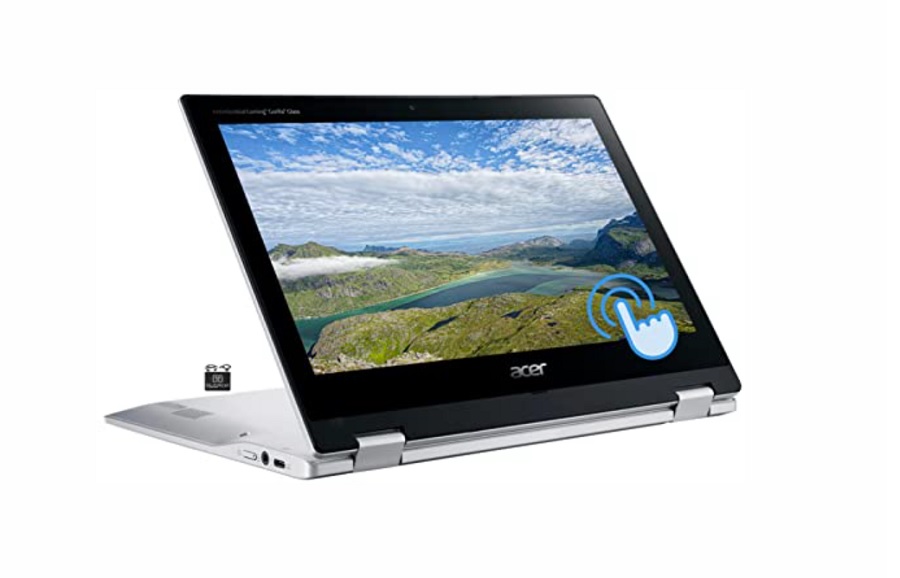
With one of the fastest processing speeds available, the Acer Spin Flagship Convertible Chromebook is one of our top choices for homeschool students. This Chromebook can be used as a laptop or a tablet making it a versatile and appealing option for many students.
The Acer Spin Chromebook has a flexible hinge allowing students to prop it up when in tablet use. The Acer Spin also comes with 64 GB of flash memory making it a great option if you need a little more storage for your device.
#8: Lenovo 2023 Ideapad Slim 3
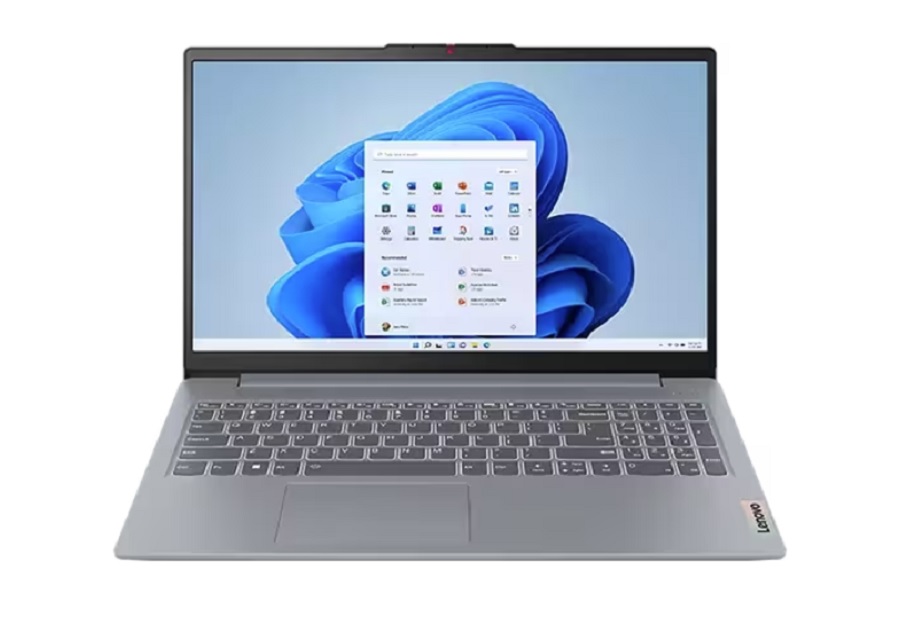
Students love technology that works fast and the Lenovo 2023 Ideapad Slim 3 is about as fast as they come. Boasting an 8-second startup time, this Chromebook is not only fast but also reliable. Its security system is constantly updating and it comes with a large amount of memory. It also holds up to its name, and its slim design makes it a great option if you are looking for a more portable device.
#9: Dell 14 Inch Touch Screen Chromebook

Dell has been making quality products for decades and their touchscreen Chromebook is no exception. Designed with learning in mind, the Dell Touch Screen Chromebook comes with an anti-glare screen allowing your student to study outside if wanted.
This Dell Chromebook comes with a touch screen and is on the larger side with a 14-inch width. It also comes with 8 GB of RAM making it one of the top choices for teachers and students. You can find many refurbished options for this Chromebook to help keep the cost reasonable.
Final Thoughts on the Best Chromebooks for Homeschooling
With quality names like HP, Acer, Lenovo, and Dell you can’t go wrong when choosing a Chromebook from this list.
Remember, the best Chromebook for homeschool use often comes down to you and your child’s unique needs and preferences. Consider what is most important to you when using a Chromebook and the amount of computer memory you will need to successfully support the curriculum for your homeschooled student.
Chromebooks are an important investment so taking your time to learn about the different options will allow you to find the very best fit for your specific student.
Have any questions about our guide to the best Chromebooks for homeschooling use? Just leave us a comment and we’ll do everything we can to help you out!
Other Useful Resources
- The Best Laptops for Homeschool
- The Best Printers for Homeschool
- The Best Homeschool Desks
- The Best Tablets for Homeschool
- How Much Does Homer Cost? The Complete Price Guide for Homeschool Families - June 4, 2025
- Moms Mastering Their Money and Inspiring Their Kids to Do The Same - June 4, 2025
- What Is Lingokids? - June 4, 2025